
Create Professional Invoices in Minutes
MyInvoiceCreator helps you generate professional invoices quickly with smart automation and beautiful templates.
How It Works
MyInvoiceCreator lets you generate clean, professional invoices with powerful features that work for freelancers, small businesses, and growing companies.
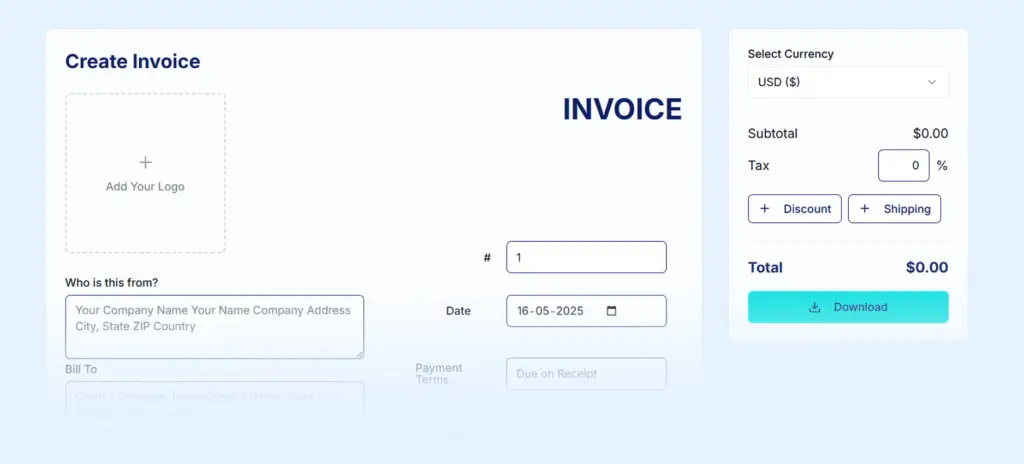
Step 1: Add Your Business & Client Details
Start by entering your basic invoice information.
What you can do:
Add company name, address & contact details
Upload your company logo for branding
Enter client information
Set invoice number, issue date & due date
Add purchase order number (if required)
✨ Everything is fully customizable to match your business needs.
Step 2: Add Products, Services & Charges
Easily list everything you’re billing for.
Powerful tools included:
Add unlimited products or services
Description, quantity & rate for each item
Real-time subtotal calculation
Apply taxes & discounts (percentage or fixed)
Add shipping charges
Record partial payments to show exact balance due
🧮 No manual calculations — everything updates instantly.
Step 3: Customize & Brand Your Invoice
Make your invoice look professional and on-brand.
Customization options:
Choose from professionally designed invoice templates
Set a default template (for logged-in users)
Select from multiple global currencies
Add digital signature (draw or upload)
Include custom notes & payment terms
🎨 Invoices that look trustworthy, polished, and client-ready.
Step 4: Save, Manage & Access Anywhere
Never worry about losing your work.
Flexible saving options:
Guest Mode: Invoices auto-saved in your browser using local storage
Free Account: Sync all documents securely to the cloud
Access invoices from any device
Manage everything from the My Documents Dashboard
📂 Edit, reuse, or duplicate invoices anytime.
Step 5: Download, Share & Send Instantly
Send invoices the way your clients prefer.
Export & sharing features:
Download high-quality PDF (print-ready)
Export data as CSV or TXT
Generate secure shareable links
Create QR codes for instant sharing
Open a pre-filled email draft to send invoices faster
🚀 From creation to delivery — all in a few clicks.
Who Is MyInvoiceCreator For?
Freelancers & Consultants
Small & Medium Businesses
Retailers & Service Providers
Agencies & Startups
Anyone who wants simple, professional invoicing
Why Choose MyInvoiceCreator?
✔ Easy to use — no learning curve
✔ Works with or without an account
✔ Professional invoice templates
✔ Accurate calculations
✔ Secure & reliable
✔ Designed to save time
Ready to Create Your First Invoice?
Create professional invoices in minutes — simple, fast, and reliable.
👉 Create Invoice Now
👉 Try MyInvoiceCreator for Free